 Click main image to view in full screen. Unlock all 10 preview images:
IT Project Management Excel | Gantt, Risk & Budget Dashboard – Excel XLSX
Excel (XLSX) + Zip archive file (ZIP)


BENEFITS OF THIS DOWNLOADABLE EXCEL DOCUMENT
- Coordinate IT project milestones, task priorities, dependencies, risks, issues, budgets, resources and Gantt scheduling in a structured, reusable Excel management workbook.
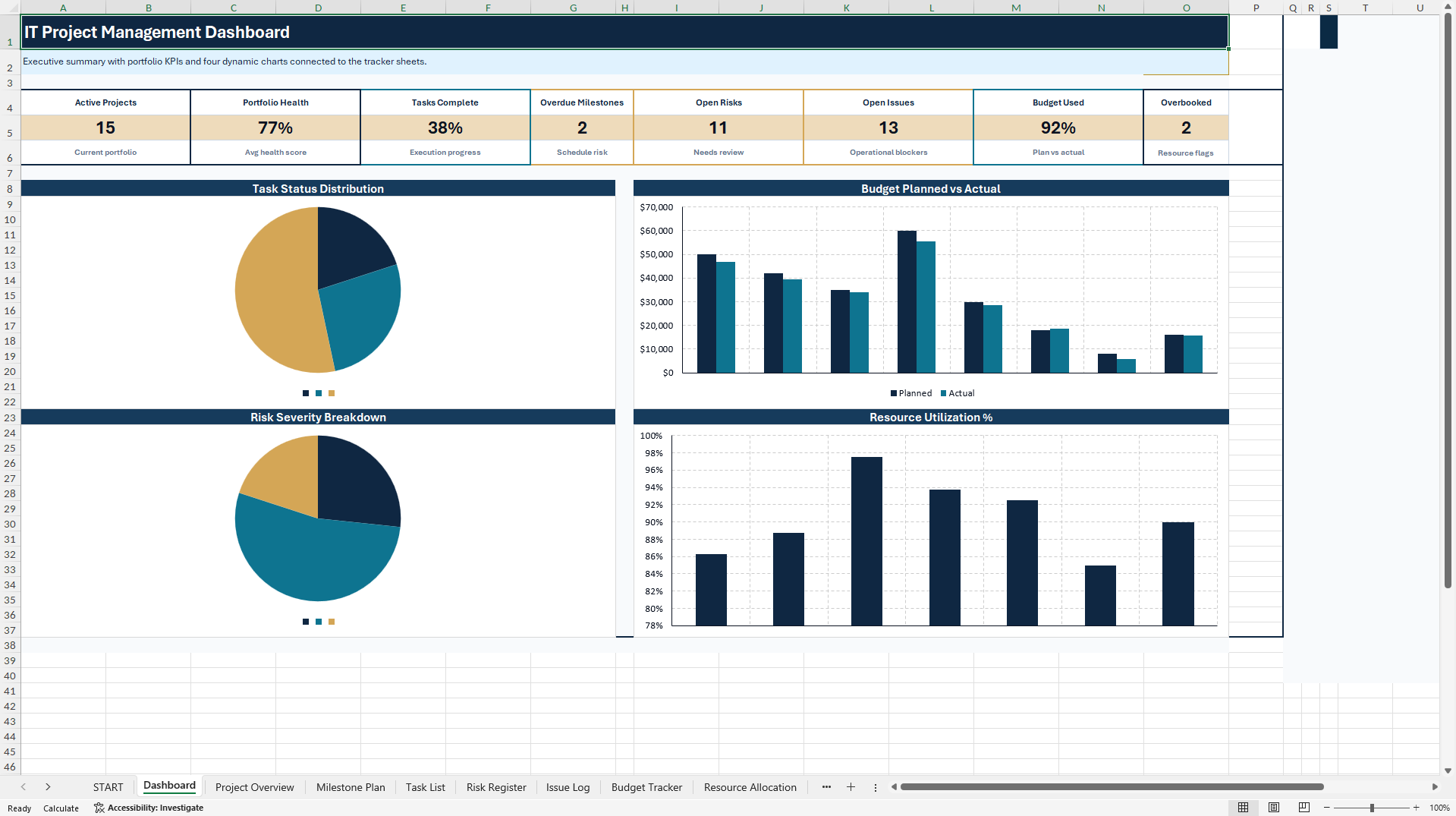
- Review eight formula-driven executive KPI cards and four native Excel charts for task status, budget performance, risk severity and selected resource utilization, with prepared rows for additional records.
- Receive the 11-sheet main Excel tracker, a standalone one-sheet IT Project Snapshot bonus with two charts, and a practical 10-page English PDF user guide.
INFORMATION TECHNOLOGY EXCEL DESCRIPTION
💼 IT PROJECT MANAGEMENT & RISK TRACKER – 10-IN-1 EXCEL TOOLKIT
Gantt Planning | Milestones | Tasks & Dependencies | Risk & Issue Management | Budget | Resources
Bring project schedules, risks, issues, costs and resources into one professional Excel workflow. Built for IT project managers, PMOs, consultants, software teams and agencies, this reusable toolkit helps turn scattered project updates into structured records and clear management reporting.
📊 EXECUTIVE KPI DASHBOARD
Review eight formula-driven KPI cards and four native Excel charts presenting task status, planned versus actual budget, risk severity and selected resource utilization. Linked summaries help identify delivery pressures and prioritize follow-up without manually rebuilding reports.
🧩 MAIN WORKBOOK – 11 WORKSHEETS
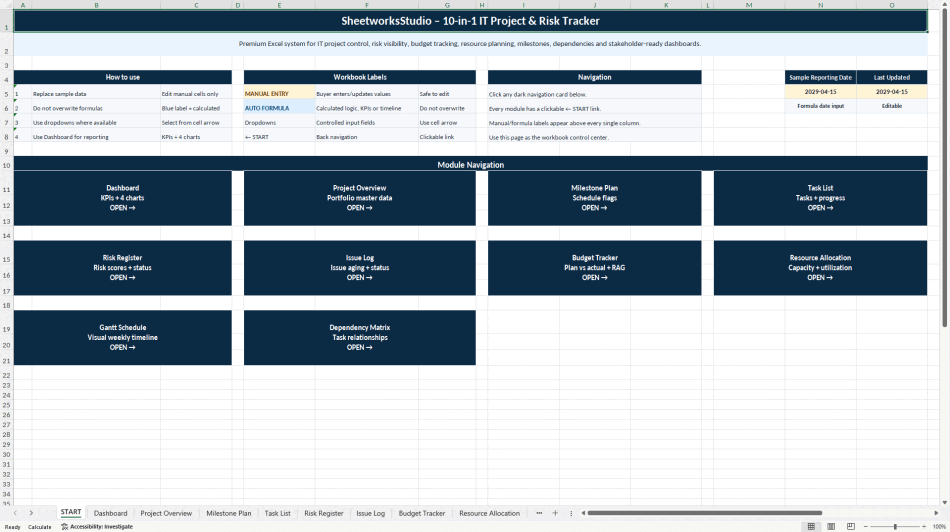
• START – Guided navigation, workbook instructions and manual-entry/formula conventions.
• DASHBOARD – Executive KPI overview with four native management charts.
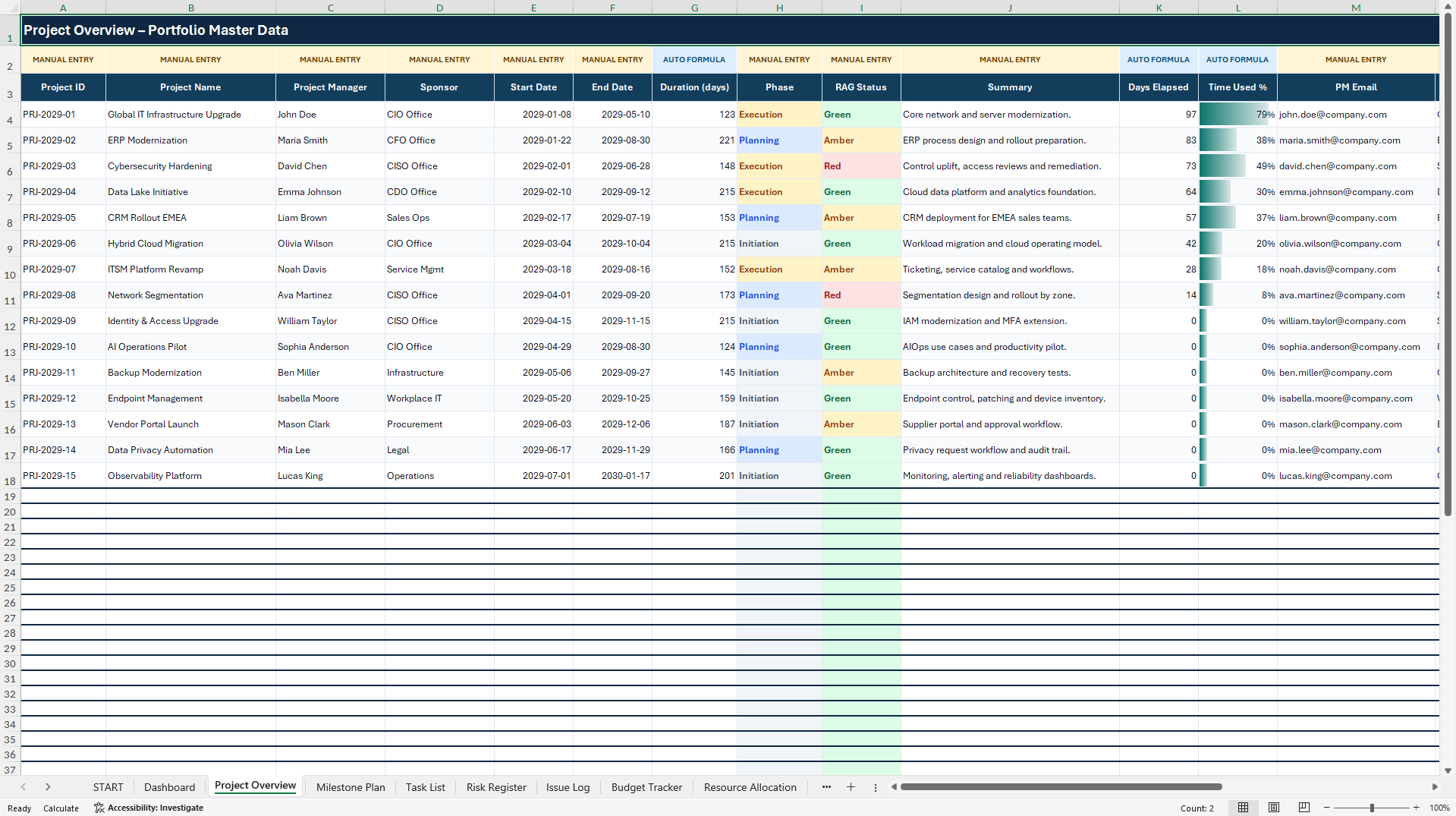
• PROJECT OVERVIEW – Project ownership, schedule, phase, status and project health.
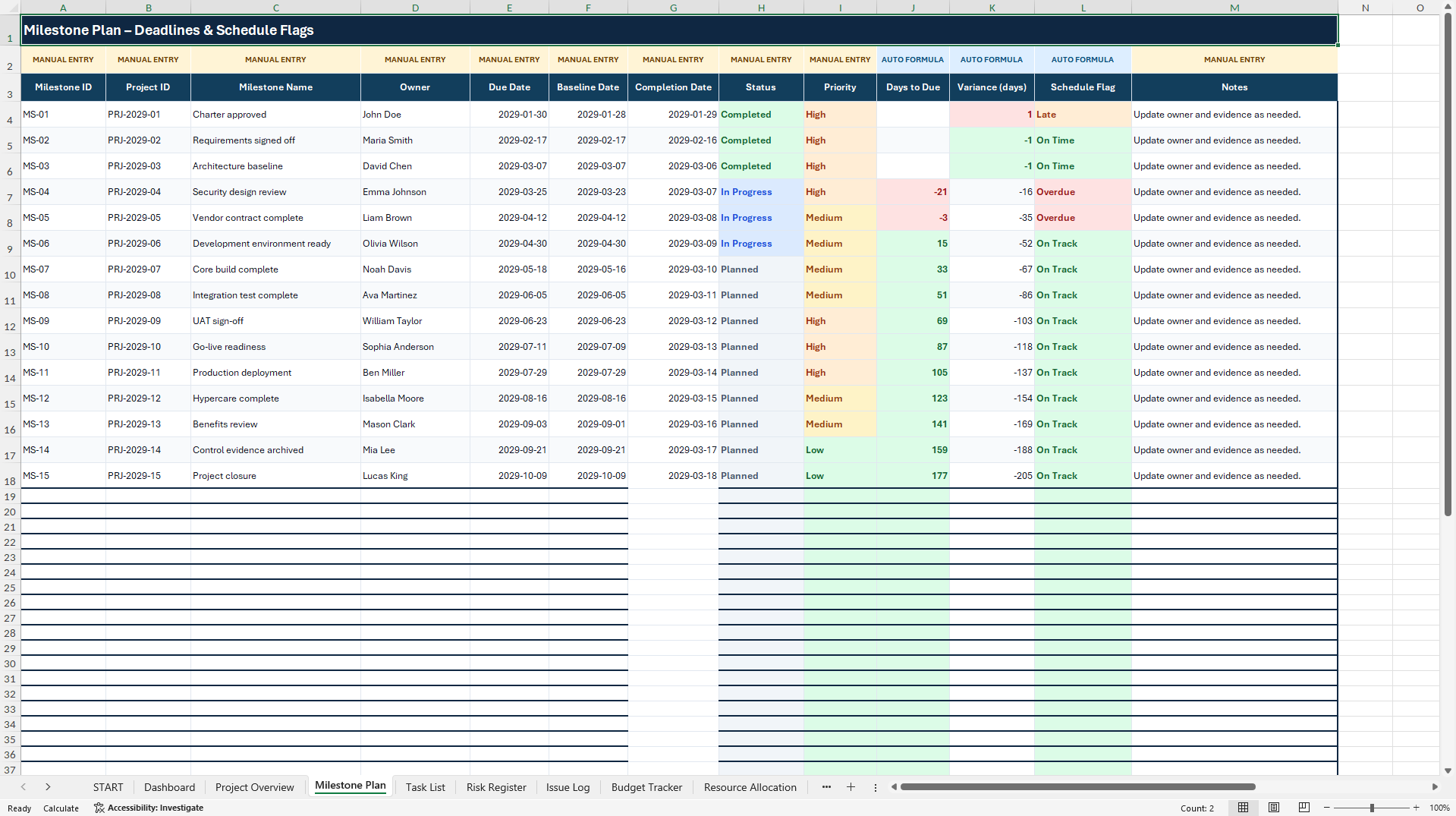
• MILESTONE PLAN – Key deliverables, target dates, owners, baseline comparisons and overdue indicators.
• TASK LIST – Actions, priorities, progress, effort, responsibility and dependencies.
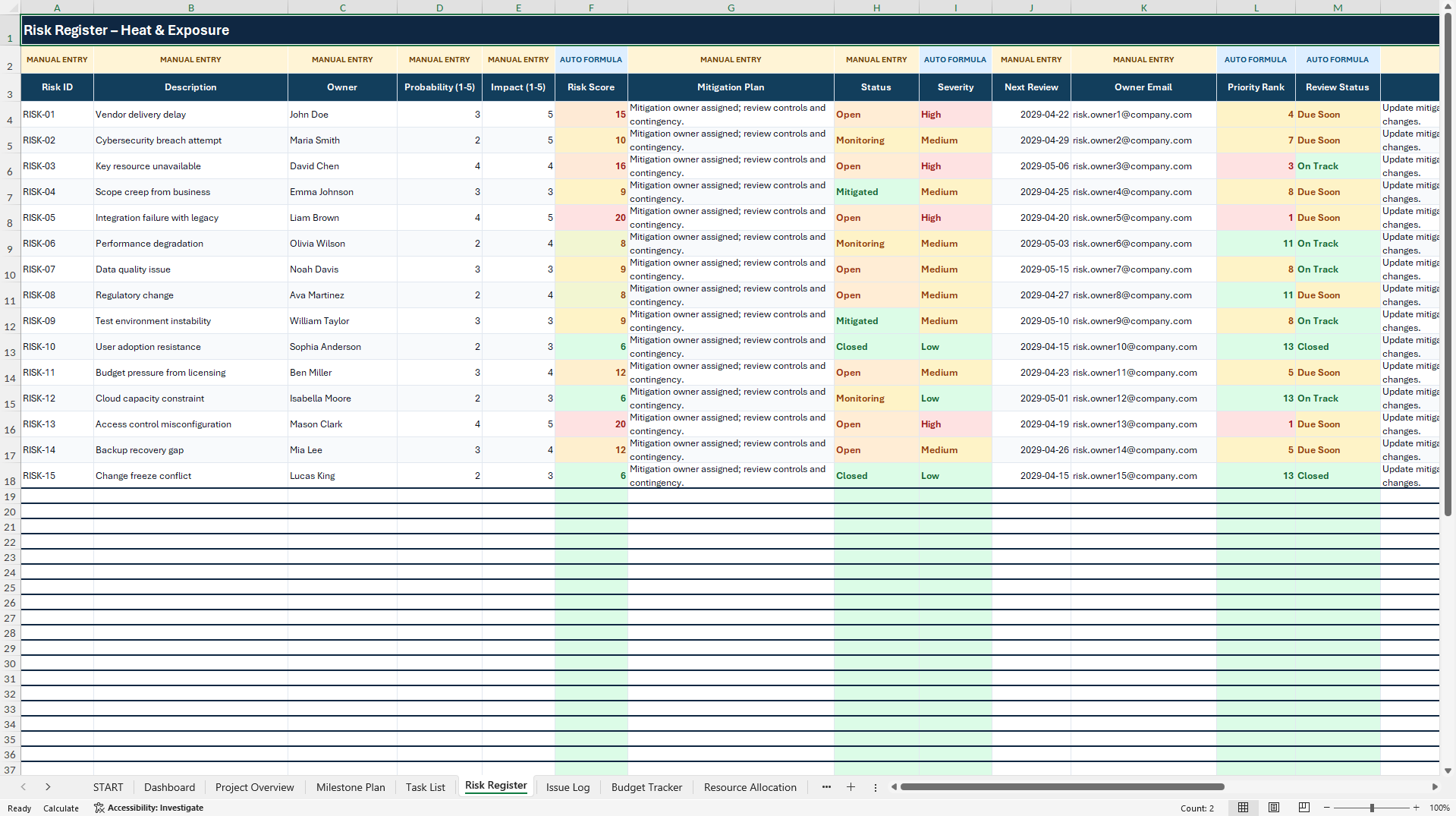
• RISK REGISTER – Likelihood × impact scoring, risk categories, mitigation actions and ownership.
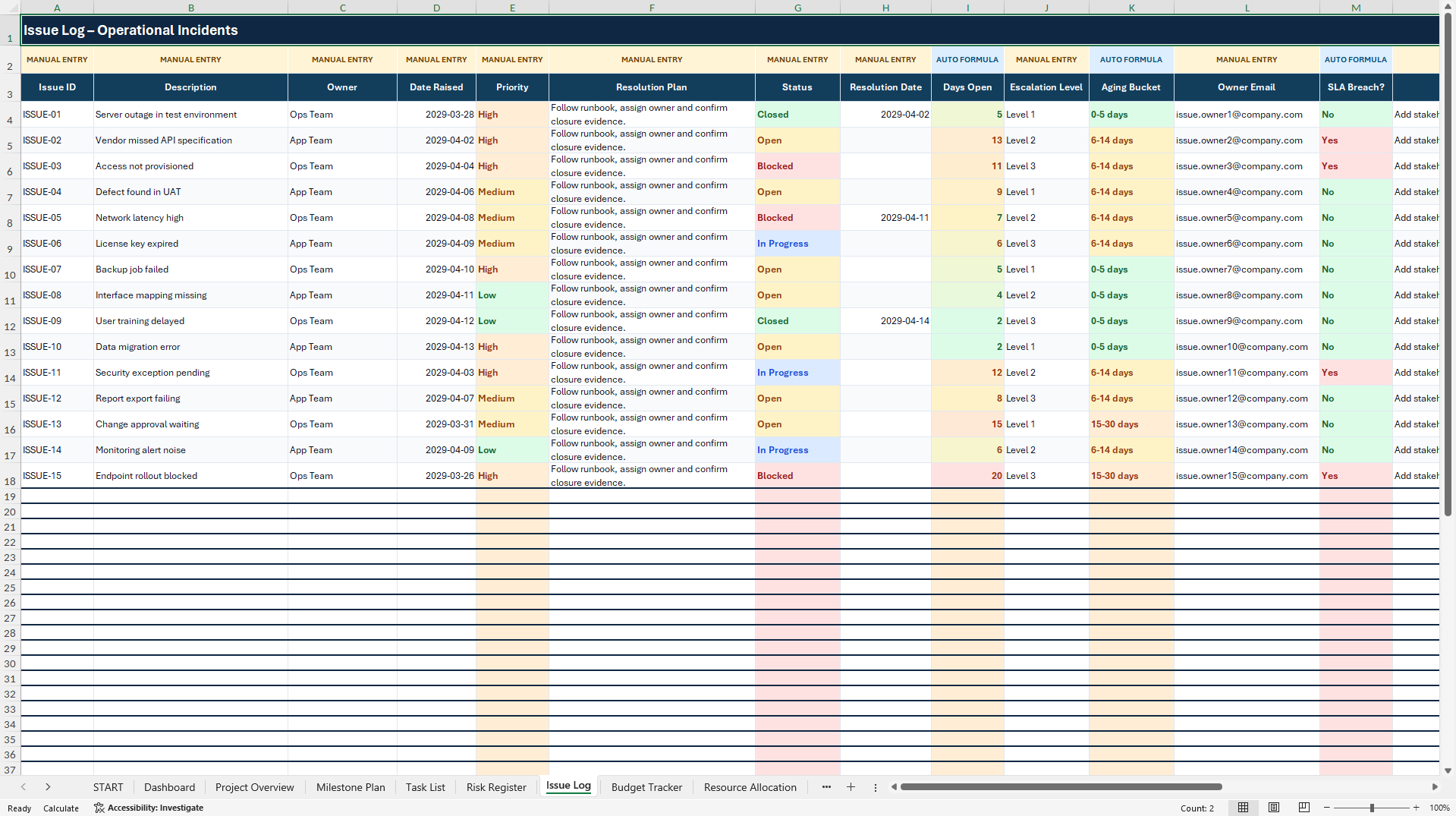
• ISSUE LOG – Open issues, escalation, time open, responsibilities and internal SLA indicators.
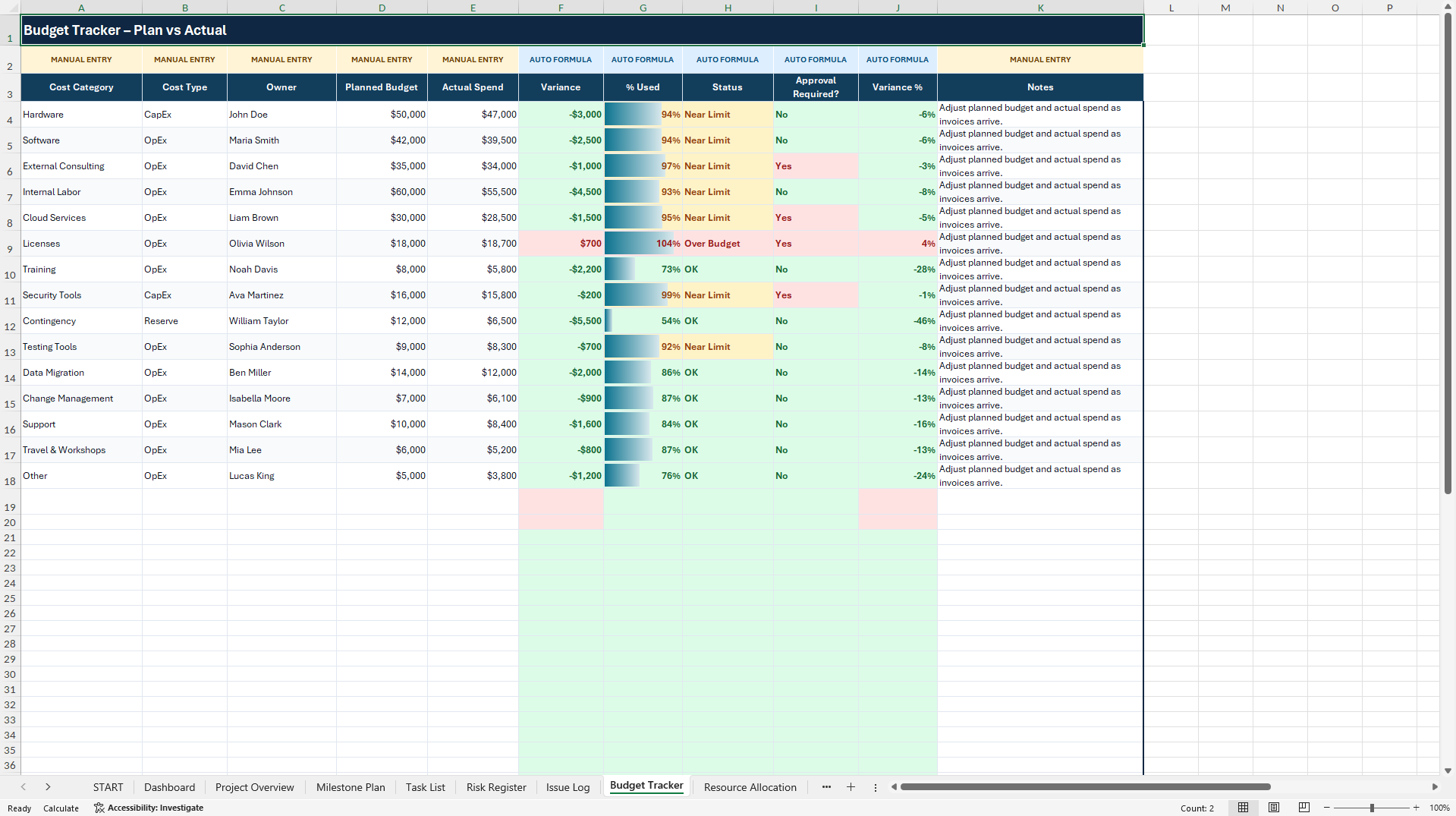
• BUDGET TRACKER – Planned and actual spending, variances, utilization and budget totals.
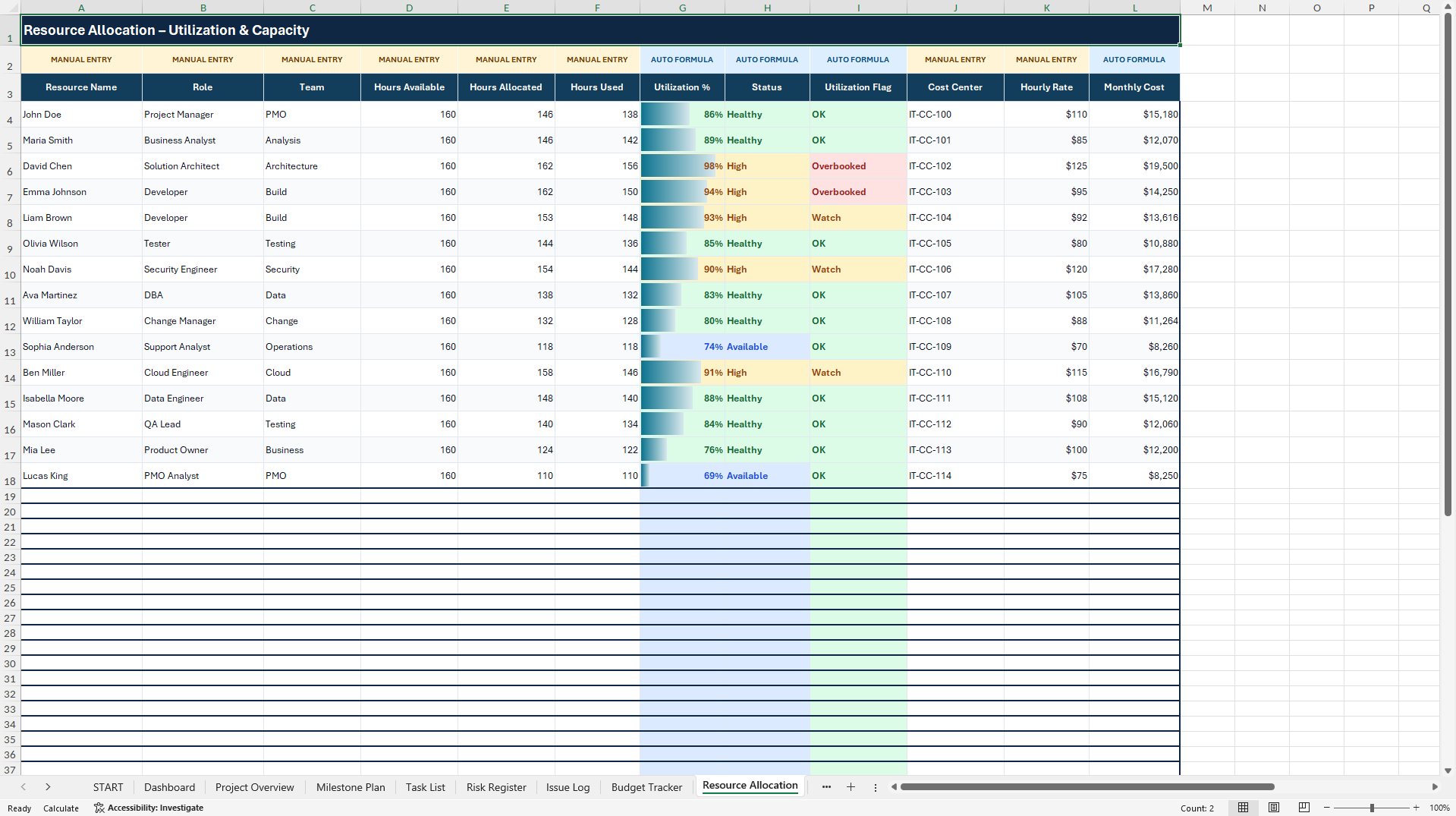
• RESOURCE ALLOCATION – Available and assigned hours, workload, utilization and resource costs.
• GANTT SCHEDULE – Formula-driven visual timeline for planning and monitoring project activities.
• DEPENDENCY MATRIX – Structured overview of task dependencies and relationships.
The main working areas contain 15 illustrative sample records plus 42 prepared rows for additional entries. Relevant calculations and input validations have been extended through row 60. Dropdowns and color-coded indicators support consistent updates, while sample data can be replaced with your own information.
🎁 BONUS – IT PROJECT SNAPSHOT
A separate, one-sheet Excel companion for quick status reviews, client discussions and stakeholder updates. It includes a concise project health view, risk and issue indicators, editable reporting fields and two native Excel charts. The snapshot operates independently; it does not automatically synchronize with the main tracker.
📘 10-PAGE ENGLISH HOW-TO-USE GUIDE
Follow a practical setup and operating workflow, including navigation, data entry, the Gantt schedule, risks, budget, resources, dashboard interpretation, the snapshot bonus and customization guidance.
🎯 WHO IT IS FOR
IT project managers, PMO teams, technology consultants, software and IT operations departments, agencies, startups and businesses managing internal or client-facing IT projects.
📦 COMPLETE DIGITAL PACKAGE
• Main IT Project & Risk Tracker – 11-sheet Excel workbook (.xlsx), four native charts.
• IT Project Snapshot – standalone Excel workbook (.xlsx), two native charts.
• How-to-Use Guide – 10-page English PDF.
💻 TECHNICAL INFORMATION
Editable Microsoft Excel files with built-in formulas and no required VBA macros, add-ins or external connections. Microsoft Excel Desktop is recommended for the best layout, navigation and recalculation experience. There is no live integration with Microsoft Project, Jira or other platforms. Google Sheets import may preserve some content and formulas, but charts, dropdowns, navigation and formatting can differ; full feature parity is not guaranteed.
⚖️ IMPORTANT DISCLAIMER
This is an independent, unofficial template for project organization, planning and reporting. It is not certified project management software and does not guarantee project outcomes. Review all sample data, formulas, budgets, risk assessments and outputs before operational use. It does not replace qualified project, technical, legal or financial advice. Digital delivery only; redistribution or resale of the template files is prohibited.
SheetworksStudio | Professional Excel Management Templates.
Got a question about the product? Email us at support@flevy.com or ask the author directly by using the "Ask the Author a Question" form. If you cannot view the preview above this document description, go here to view the large preview instead.
Source: Best Practices in Information Technology, Excel Project Plan Excel: IT Project Management Excel | Gantt, Risk & Budget Dashboard Excel (XLSX) Spreadsheet, SheetworksStudio
ABOUT THE AUTHOR

SheetworksStudio creates premium Excel-based business templates, dashboards, trackers, financial models, and management systems for professionals, consultants, entrepreneurs, and organizations.
Our portfolio covers finance, project management, operations, risk management, compliance, AI governance, HR, supply chain, performance management, and business planning. Each product is designed to
... [read more]
Ask the Author a Question
You must be logged in to contact the author.